
To be able to do everything from the home-row
vim is a modal editor, you switch modes and use the same keys on the keyboard to do different things - the keyboard can be your mouse (move the cursor, scroll), or can insert, select and delete text in the respective modes
How it started
Like everyone during the Covid lockdown, I learned several things. Two of them were touch-typing and Linux.
Everything is a file
sudo. grub. and whatnot. Most of the things involved editing some config file. Which introduced me to the world of terminal editors: nano, vi. Eventually, while trying to edit the sudoers file, vi opened. Yes, I struggled to exit vim, because I had zero idea about modal editing at that time.
Luckily, just launching vim without specifying a file spawned this :intro screen
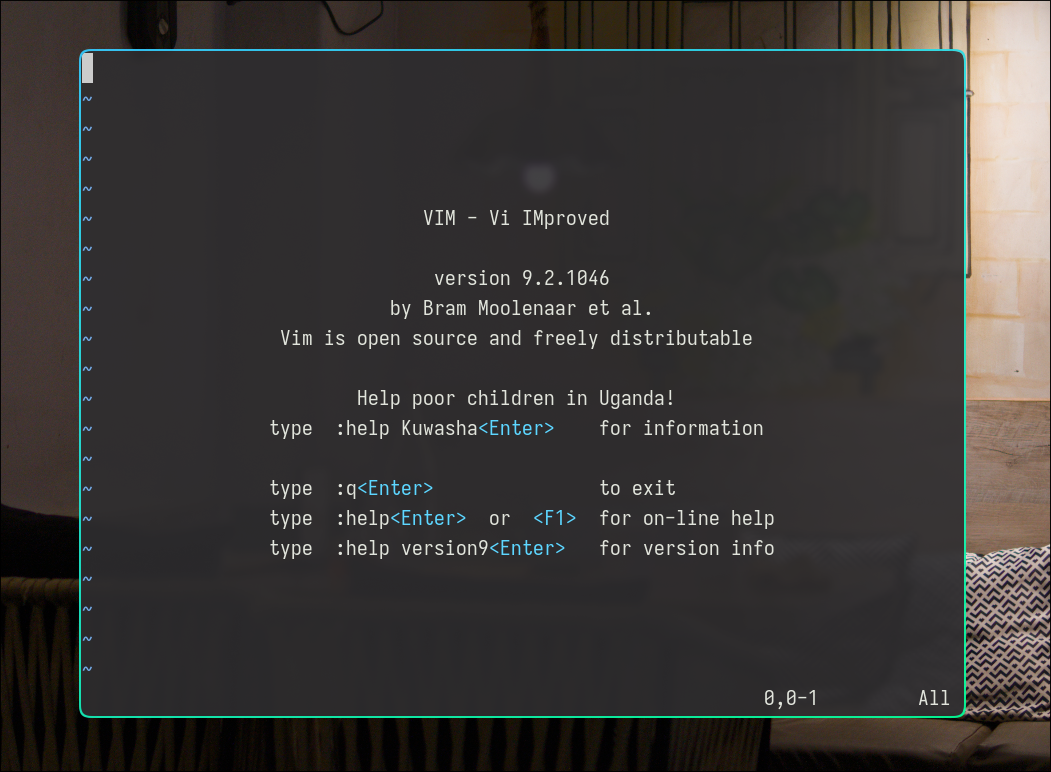
Typed :help, learned a bit of hjkl motions, and somehow ended up doing the :Tutor, which gave me enough confidence to embrace vim as my default terminal editor. VS Code remained my daily editor for code.
Mastering Vim
I found this great book by Ruslan Osipov while scrolling O'Reilly Learning, and I'd recommend it to every vim beginner.
It starts with how vim came into existence from line editors like ed and ex, and works its way up to setting options, autocommands, quickfix lists, text objects, macros and plugins, until it's your own .vimrc.
I'm not a fast reader, but I finished it in a week. By the end, I had my vim config ready with plugins like fugitive for git, nerdtree for a file explorer, coc for LSP, all managed by vim-plug.
The book ended with introducing neovim.
Neovim
Neovim is a fork of Vim. It has a Lua runtime, which means I can write its config in Lua instead of vimscript. That's great because Lua scripts are everywhere:
- mpv player
- darktable
- hyprland
- ...
It also comes with:
- built-in LSP client: which means if I am working on a TypeScript project, I can write and enable the LSP configuration for
tsc --lsp --stdio, so Neovim communicates with the language server and gives me the diagnostics, autocompletion, hover capabilities, find references, go to definition and whatnot. - treesitter: Even without LSP, Neovim can understand the code structure much better using the treesitter parse tree. So we get consistent syntax-highlighting, folds, and incremental selection (I have mapped
+and-for incremental selection of nodes). See this nice video where the creator, Max Brunsfeld, himself explains treesitter.
Transitioning to Neovim
I got started with Neovim through this YouTube video: The Only Video You Need to Get Started with Neovim by Teej. He's on the core team of Neovim and the creator of Telescope.nvim, a great fuzzy finder (or picker) plugin. He also streams on YouTube and Twitch.
In his video, he introduces kickstart.nvim, which is a single-file template Neovim config in Lua. He covers the fundamental Neovim concepts like the Vim Lua API, how the Lazy plugin manager works, how to fuzzy-find with telescope, what LSP is, how to set it up, and customization.
If you enjoy his video, I would also suggest watching ThePrimeagen write his configs.
nvim v0.12 arrived this March. Introducing vim.pack and many niceties. I had already been following the Neovim core members by this time, watching their configs.
My current Neovim config is based on Maria's config. I have put my plugins inside the plugin/ directory and created a wrapper around vim.pack.add to load plugins lazily.
Here's a demo of my config on Neovim nightly 0.13. I'm using FzfLua picker, fugitive+gitsigns for git, built-in 'dir' plugin for file explorer, mini statuscolumn and statusline, scry.nvim for markdown preview, and blink.cmp for completion.
In the end, I'm not saying Vim is the best editor or that everyone should switch, but it's taught me a lot. I really got to know how LSP communicates over RPC, which in turn made me curious to understand how RPC works over stdin/stdout pipes between processes. I picked up Lua through Neovim, so moving my Hyprland config to Lua was painless.
I still use VS Code for debugging, but nvim is my primary editor.
Along the way, I also got to know about these awesome people:
- Ruslan Osipov: Author of "Mastering Vim"
- tpope: fugitive creator
- TJ DeVries (teej): Telescope.nvim creator
- Justin M Keyes: Core nvim maintainer
- Evgeni Chasnovski (echasnovski): Mini plugins creator
- ThePrimeagen: awesome content on Linux, vim and software engineering
- Maria Solano: Nvim core team, has worked on LSP